A long read · 01 — 09
How Dino AI Hub Works.
Dino AI Hub is a physical AI hub that arrives at your shop with your business already configured on it. The whole operation — phones, dispatch, CRM, quotes, invoices, books — runs locally on the device sitting in your office. Here is exactly what that looks like, from the day you sign up to the day you double in size.
01
What you buy
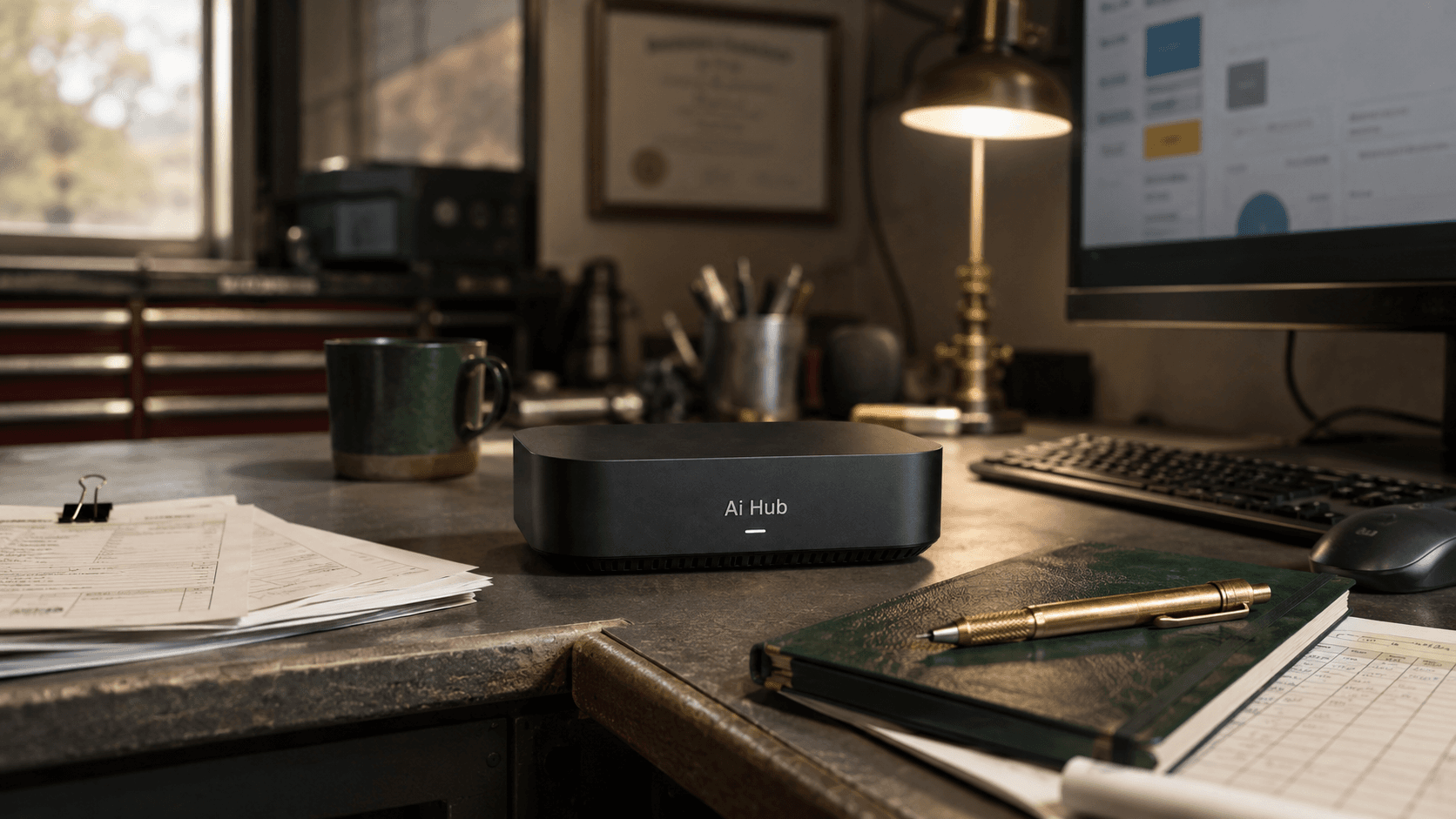
When you sign up for Dino AI Hub, you don't get a software login. You get a sealed appliance shipped to your office.
Today, the appliance is a purpose-built Apple Silicon machine — a Mac mini, Mac Studio, or MacBook Pro, configured to the exact specifications your shop needs. None of them are off-the-shelf consumer units. Each one is provisioned, locked down, and sealed as a dedicated AI hub for one business: yours. Browser downloads are disabled. Nothing else gets installed on it. The machine has one job, and it stays that way.
A second-generation hardware platform — designed by us, specifically to run BOS — is in development. Your license rolls forward to it when it ships.
02
How you get started
You don't wait for a box to arrive and then start figuring things out. We do the work first.
When you sign up, you get an onboarding account where you fill in everything we need to know about your business: services, pricing book, working hours, dispatch rules, payment terms, the lot. Your answers go straight into your business database — the same database that ships with your hub.
Then we run your agents. The voice receptionist takes test calls with your scripts. The dispatcher routes test jobs against your real rules. The invoice agent runs against your real tax setup. By the time the appliance leaves our hands, every AI agent in the system has been tested with your data, on your behalf.
When you plug it in, it's already your shop's system. Not a generic install you have to configure. Not a setup wizard. A working business operating system, on day one.
03
The three surfaces
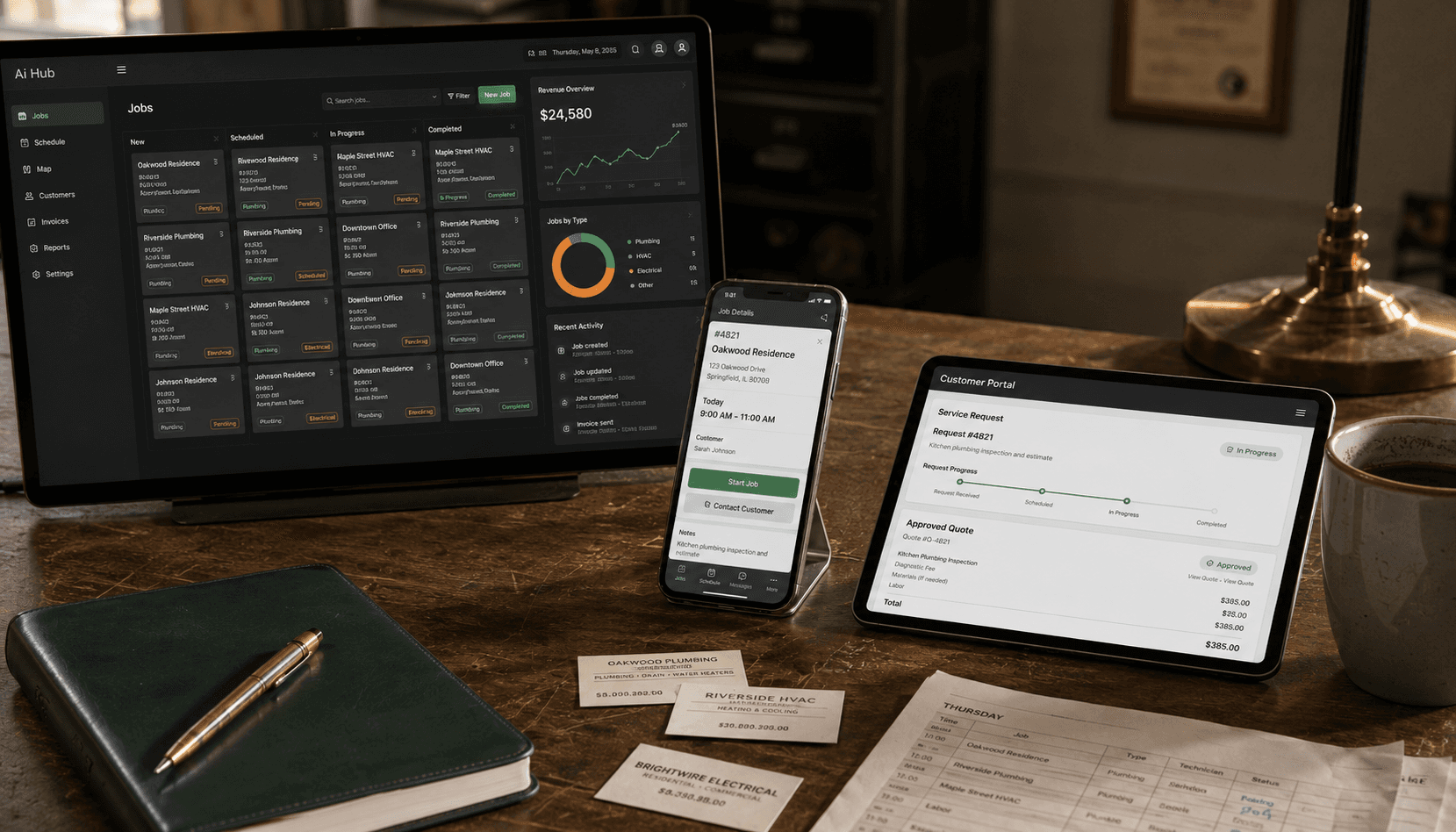
Dino AI Hub runs three interfaces, each on the device that makes sense for who's using it.
BOS
The office
Everything the owner and the office team need: dashboards, dispatch board, CRM, quote and invoice management, accounting, analytics, agent oversight. Runs in a browser on any computer in the office, connected to the local AI hub.
Field
The technicians
The truck-cab and on-site interface for techs: today's jobs, customer details, on-site quoting, on-site invoicing, photos and notes, status updates. Runs on phones and tablets. Built to work offline — when a tech is in a basement, a crawlspace, or a dead zone, the app keeps working. The moment the phone reconnects, everything syncs back to the hub.
Portal
The customer
A clean, branded interface where your customers can request service, see their quotes, pay invoices, and review their history with your shop. They see your name, not ours.
All three surfaces connect to your AI hub over a secure encrypted connection. Nothing your customers, your techs, or your office sees ever passes through a third-party software vendor's server. The hub in your office is the system.
04
Your phone
You decide how the AI receptionist gets your calls.
Forward your existing number
Keep the number your customers know. Calls forward to the receptionist automatically. The receptionist answers, qualifies the call, books the job, and gets your tech dispatched — all on the same line your customers have been calling for years.
Use a dedicated number
Sometimes you want the AI on a separate line — for after-hours, for a specific marketing channel, for a new branch of the business. We can set up a dedicated number that routes straight to the AI.
Either way, calls can hand off to a human
When a caller needs a real person, or when the AI hits something it should escalate, the call transfers to whoever you've designated — office staff, dispatcher, on-call tech. The context goes with it. The next person who picks up already knows why the caller is on the line.
05
What happens when the internet goes down
Most of the systems you run your business on stop working the moment your internet does. Dino AI Hub doesn't, because it doesn't live in the cloud.
When the connection at your office drops, the hub keeps running. The office team can still take walk-ins, create jobs, manage data, run reports, prepare quotes, file invoices, look at analytics — everything that lives on the hub continues working as if nothing happened.
What pauses
- The AI voice receptionist can't answer new calls — the phone network needs to reach the hub. Calls fall back to whoever you've designated, or to voicemail.
- The customer portal is unreachable from outside your office until you're back online.
What keeps going
- Everything in the office — dispatch, CRM, quotes, invoices, accounting, all the agents.
- The Field app on your techs' phones — built to operate offline. Every action a tech takes is saved on the phone and syncs to the hub the moment the connection is back.
- Card payments your techs collect in the field — the Field app processes them directly with the card processor over the phone's cellular connection. The transaction reconciles to your books the moment the hub is back online.
No SaaS company can promise any of this. Their product depends on you having a working internet connection. Ours doesn't.
06
When the hardware fails
The single most common question we get: “what happens if the Mac dies?”
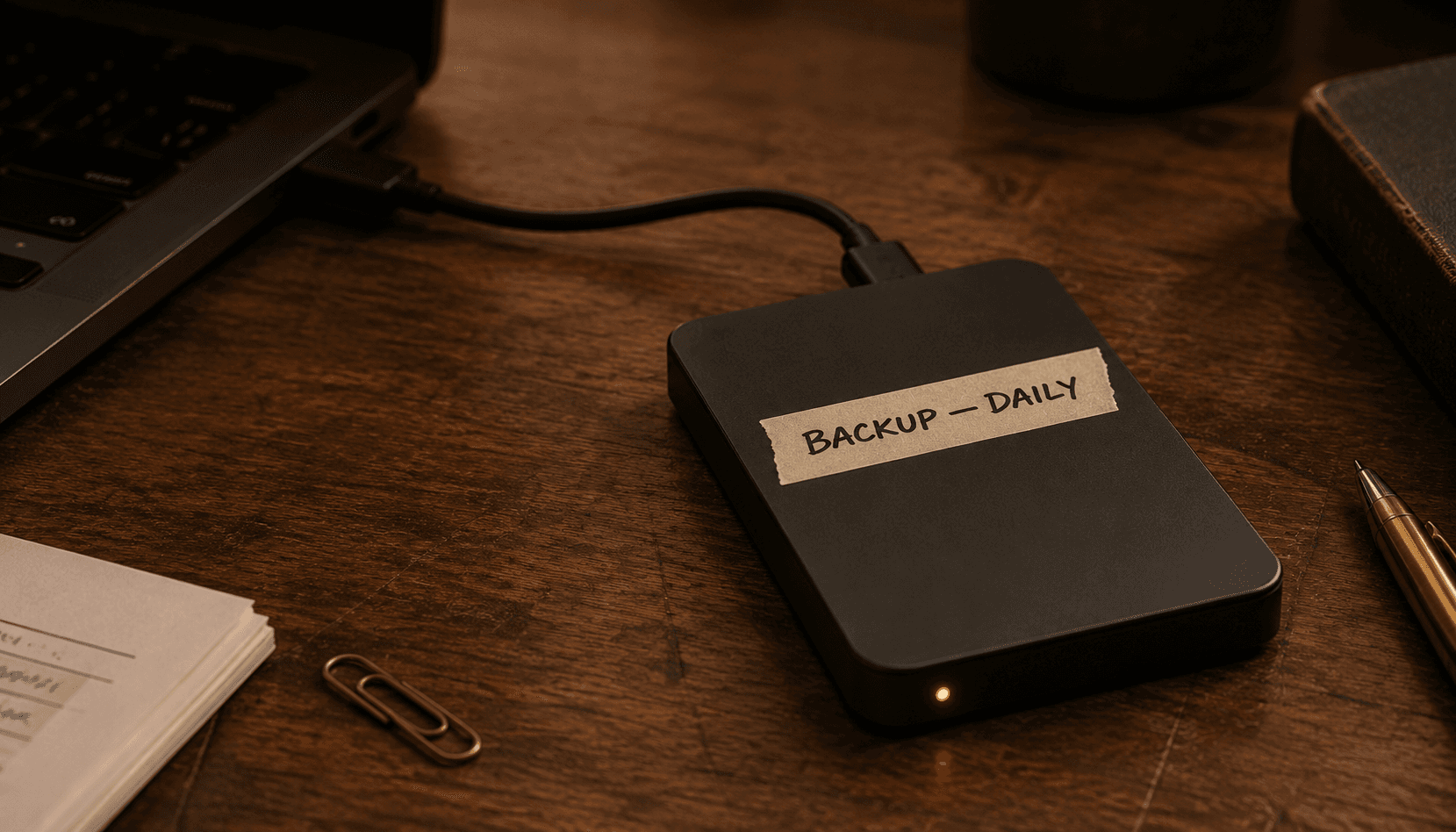
Everything on the hub is continuously backed up to a dedicated external drive in your office — encrypted, and yours, like everything else. Add a second copy wherever you like: a NAS in the closet, an encrypted off-site service, both.
If the appliance fails — fire, flood, theft, drive failure — you plug that drive into any capable computer and your operation comes back up. Customer records, scheduling, dispatch, quotes, invoices, payments, the books — the whole working shop, running off a borrowed laptop if that's what the day calls for. In parallel, we get you a replacement unit; when it arrives, your data moves onto it and you're back home.
The one thing that doesn't travel is the on-board AI. The receptionist, the dispatcher, the automation run on the hub's own hardware, which a borrowed computer doesn't have. For the few days in between you can run those parts by hand — the way plenty of shops run every day — or connect a cloud-AI key (OpenAI, Claude, Gemini) at a small, metered cost you control and switch off the moment your hub is back.
No data is lost, and none of it ever leaves your drive — not to us, not to a cloud. When a SaaS vendor goes down you're simply locked out; here, the worst day means plugging a drive into a laptop and getting back to work. You can't be locked out of something you own.
07
Updates
Software updates push automatically overnight, or on a schedule you set. The system gets better, year after year, as we build it. You don't pay for updates.
Updates are included for as long as we support the hardware your appliance is built on. In practice, that's many years per generation. Eventually — five, seven, ten years out — a generation reaches end-of-life and stops getting new feature updates, though the version it's on keeps running. By that point, the next generation has been shipping for years and most shops will have grown into it. This is the same model as the iPhone in your pocket. You don't pay monthly to keep using it. Eventually you upgrade. In the meantime, what you have works.
08
As your business grows
Most shops never need a new appliance. If you grow from one tech to ten, the original unit handles it. The dimension that drives an upgrade isn't headcount — it's how many AI conversations the system is having at the same time.
If you reach the point where calls start queueing or AI tasks slow down, the answer isn't to throw out your existing unit and buy a bigger one. You add a second unit. Your license is one license; it covers multiple appliances networked together as a single AI hub. The original keeps running. The second one shares the load.
No throwing out, no migration, no downtime. You build out, not up.
09
A Tuesday at a plumbing shop on Dino AI Hub
A four-truck plumbing shop in suburban Long Island. Two office staff, four techs, an owner who's still on the trucks half the week. The dispatch mode is set to fully automated.
6:47 AM
A customer calls — no hot water in the house. The receptionist answers in your shop's voice, asks the right diagnostic questions, gets the address, and offers a 9:00–11:00 window. The customer accepts. Seconds after he hangs up, his phone buzzes — an SMS with a link to a clean, branded portal where he can track the job, upload anything the tech might need, see his quote when it lands, and pay when it's done.
6:51 AM
The customer opens the portal link. He takes two photos of his water heater — an older brand, a specific model — and writes a note that the cold-water valve has been weeping for weeks. Photos and note attach to the job record automatically.
7:02 AM
The system evaluates today's available techs against the new job: who's on shift, who has the skill level for water heaters, who's geographically closest to the address, what each one's current load looks like. It picks Mike — a journeyman fifteen minutes from the house — and assigns the job. Mike's phone, already in his truck, lights up.
7:04 AM
Mike opens Field. He sees the job, the receptionist's notes, the customer's photos and message from the portal. He recognizes the water heater immediately: an older unit that takes a specific flue-pipe adapter. He doesn't carry it. He taps a button in Field to flag the missing part.
7:05 AM
The system already knows who has what. It checks van inventory across the fleet and finds the adapter — but it's with Tom, not in the shop. Tom is twelve minutes east of Mike, finishing a sink installation. The system runs the numbers two ways. Route Mike east to intercept Tom, grab the adapter, and continue to the customer: adds 24 minutes, still inside the customer's window. Reassign the job to Tom once he wraps his current one: arrives 32 minutes later, customer pushed to the late edge of the window. Mike-intercepts-Tom wins. The system updates Mike's route, drops Tom a short note that a coworker is stopping by, and pushes a new ETA to the customer's portal.
9:15 AM
Mike pulls up to the house with the adapter in hand. The customer has been getting automatic ETA updates the whole way. He opens the door already knowing he's about to meet someone named Mike.
9:45 AM
Diagnosis done. Mike generates a quote on his phone — water heater repair plus the leaking valve as a second line item. The quote pushes to the customer's portal. The customer reviews it on his phone in the kitchen, taps to approve, and the job is locked in.
11:15 AM
Job complete. Mike marks done. The invoice generates from the on-site quote with no rekeying. The customer's portal shows the invoice with a Pay button. He taps it. The payment processes over Mike's phone's cellular connection while Mike is still on the porch, and reconciles to the books before Mike's truck is back in gear.
2:00 PM
A second call. The customer mentions the receptionist sounds familiar — she called last year. The system pulls her history and starts the conversation halfway through, already knowing what's been done at her property and what's still under warranty.
4:30 PM
The owner pulls up the dashboard between his own jobs. Today: nine jobs done, $5,800 in revenue, three on-site upsells the techs made because the system surfaced relevant equipment history at the right moment. The dashboard flags one AI decision for his review — the tool-routing call from this morning. He taps it, sees the math, confirms it was right, moves on. Marketing analytics flag that one of his lead sources — a Yelp ad — hasn't returned a single call this week. He turns it off.
7:00 PM
Office closes. The receptionist keeps answering. Whatever it can handle, it handles. Anything urgent gets escalated to whoever's on-call.
The shop ran itself. Mike and Tom did real work. The owner reviewed two decisions and ran a quarter of a marketing audit during a coffee break. Nobody fought with software.
Ready to see it run.
Every shop's setup is a little different. The fastest way to know if Dino AI Hub fits yours is a conversation — we walk through what your operation looks like today, and you see the system running.